

Connect Merchize
Merchize needs two values to send orders, plus an optional third one that secures the tracking webhook.
1 Open the API page in Merchize
In your Merchize seller dashboard, go to Integrations › API in the left sidebar.
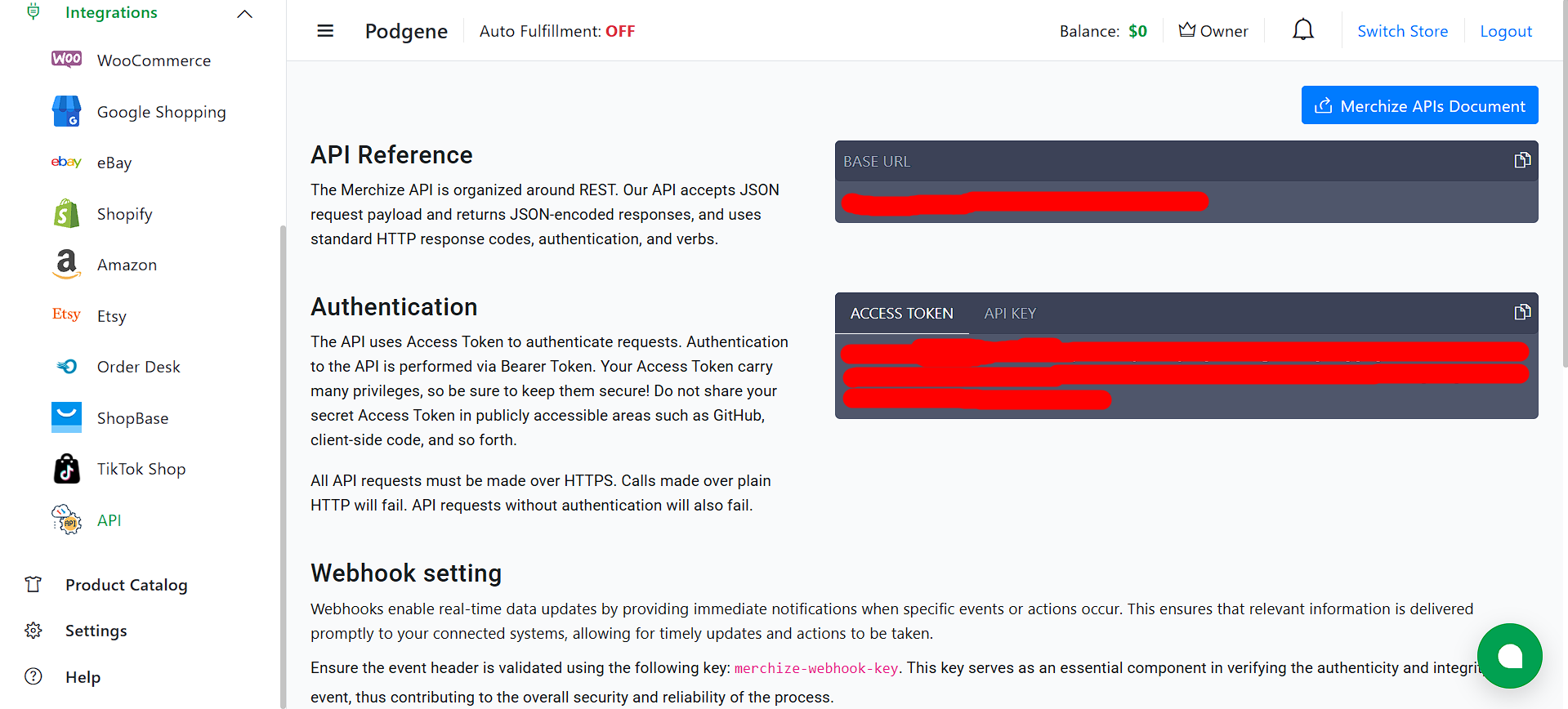
2 Copy Base URL and Access Token
Copy the BASE URL string exactly as shown. It looks like this:
https://bo-group-1-2.merchize.com/<store-id>/bo-api
Both the server group (bo-group-1-2) and the store id are unique to your account — they cannot be derived from your store name, so copy rather than type. It is not your storefront address.
Then copy the ACCESS TOKEN below it. Paste both into Podgene under Settings › Fulfillment › Custom and press Connect.
Merchize rotates this token periodically. When it expires, Connect reports “Access Token was rejected” — get a fresh token from the same page and press Connect again.
3 Add the webhook
Merchize has no API for creating webhooks, so this step is manual. On the same Integrations › API page, scroll to Webhook setting.
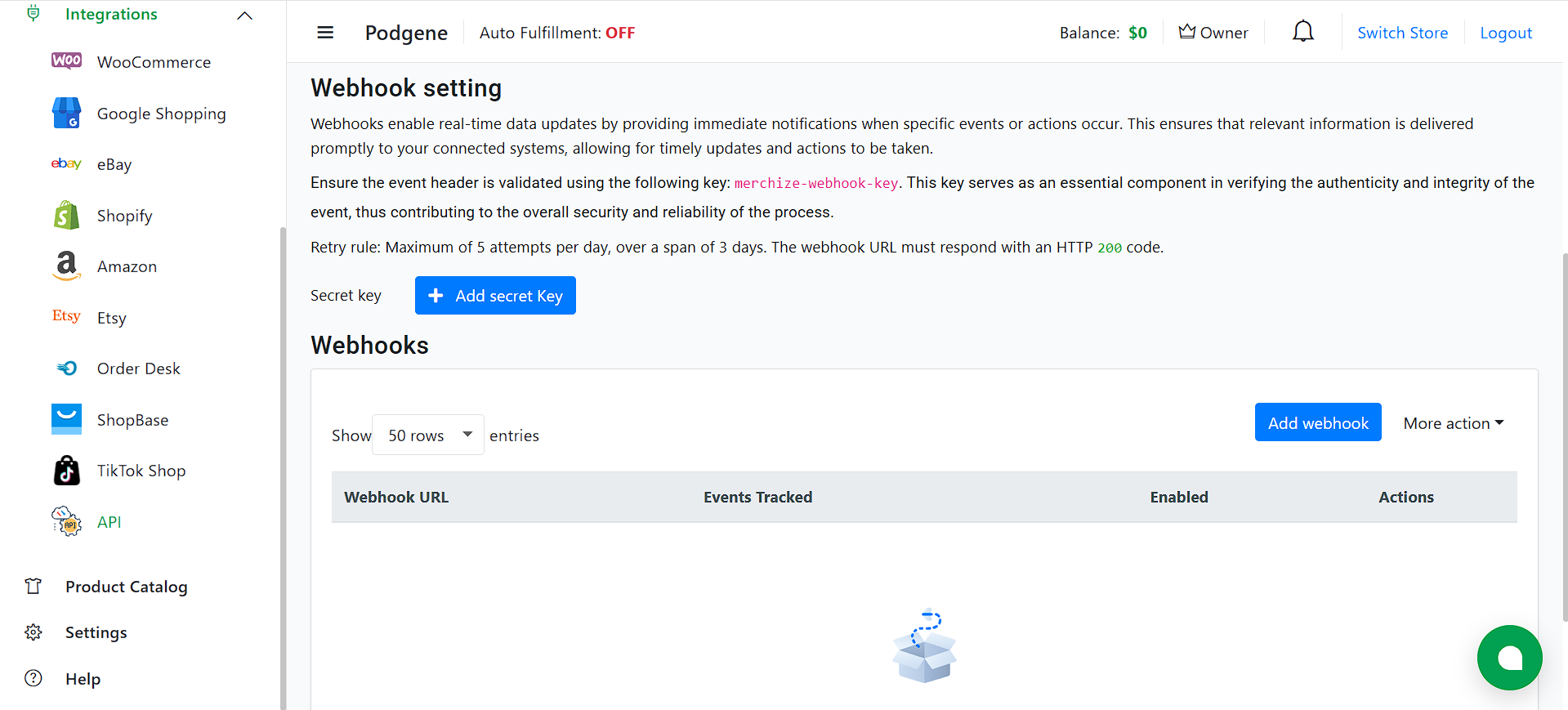
- Press Add secret Key. Merchize generates a key.
- Press Add webhook and paste the Webhook URL shown in Podgene next to the Connect button. That URL is unique to your organisation — do not share it.
- Tick these events:
ORDER.CHANGED.TRACKINGORDER.CHANGED.SHIPMENTORDER.CHANGED.PROGRESS_STATUS
- Back in Podgene, paste the secret key into Webhook Secret Key and press Connect again.
The last step is optional but recommended. With it, every incoming webhook must also carry a matching merchize-webhook-key header — a second check on top of the secret already in the URL.
Merchize retries a failed delivery at most 5 times per day across 3 days, and only treats an HTTP 200 reply as success. Podgene answers 200 once it accepts the event, so retries only pile up if the webhook URL itself is wrong — check the URL before assuming Merchize is at fault.
If Connect fails
| Message | What to fix |
|---|---|
| Host … does not exist | Base URL is wrong. Copy the BASE URL box again. |
| Base URL path is wrong … 404 | Host is right but the store id is wrong. Copy the whole string. |
| Access Token was rejected | Token expired. Get a new one from Integrations › API. |